
Local inference
Qwen3.6-35B-A3B · MTP · NVFP4
16 GB RAM laptop: a model larger than its memory, streamed from SSD
Lenovo Yoga 7 2-in-1 16ILL10 · Core Ultra 5 226V · 16 GB
One captured run per system
The model is bigger than the machine's memory. Cosmos keeps each layer's dense weights and a share of its experts resident, and streams the rest from NVMe into GPU-visible memory as the router asks for them. llama.cpp runs the same weights, with expert-cache support.
- Laptop
- Lenovo Yoga 7 2-in-1 16ILL10
- CPU
- Intel Core Ultra 5 226V
- GPU
- Intel Arc 130V · Xe2 (integrated)
- Memory
- 16 GB, shared by CPU, GPU and NPU
- Storage
- SK hynix HFS512GEM4X182N · PCIe 4.0 ×4 NVMe
 (open full size)
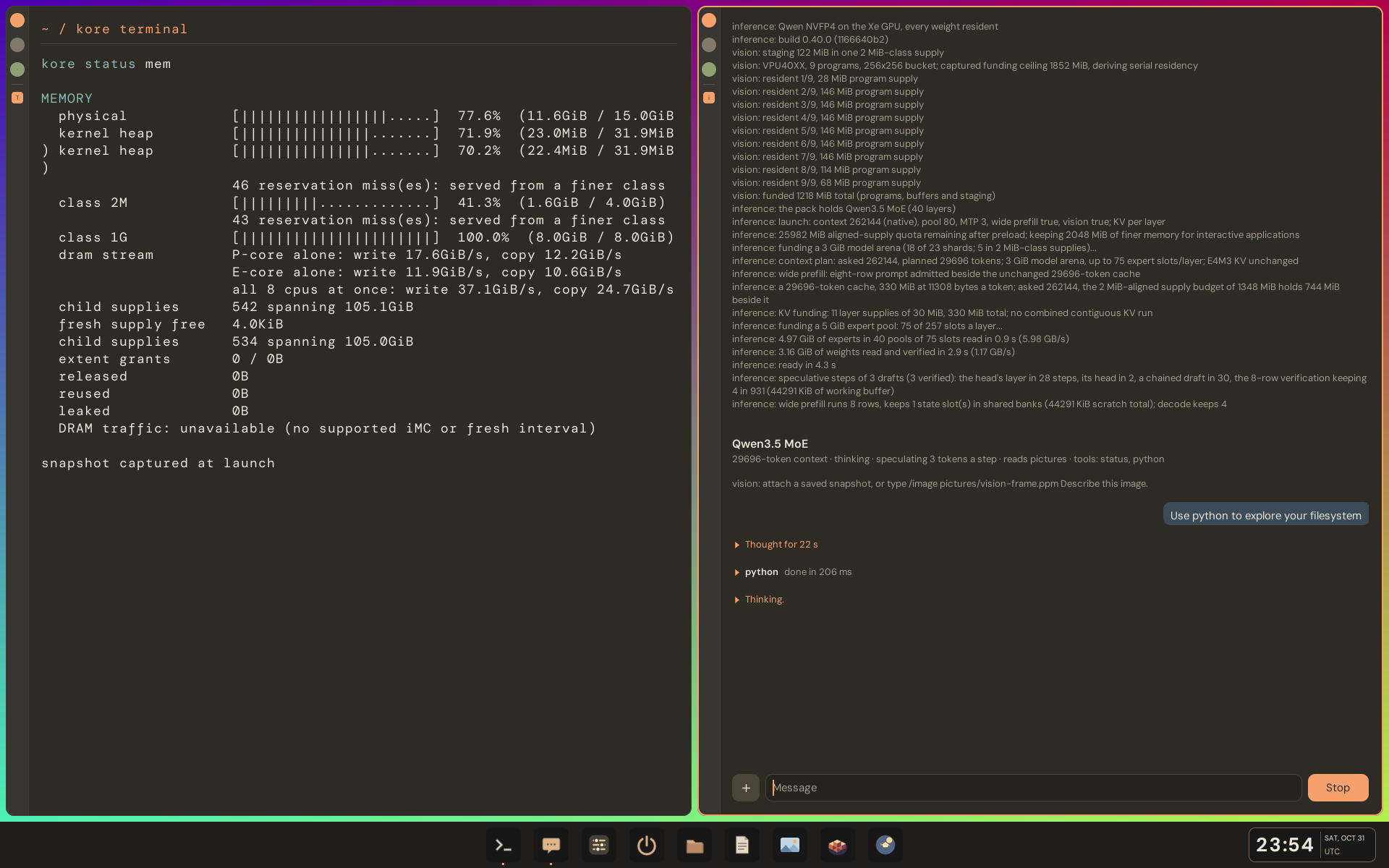
Loading Qwen3.6-35B-A3B on the 16 GB Yoga 7 2-in-1: a 5 GiB expert pool (75 of 257 slots per layer), 4.97 GiB of experts read at 5.98 GB/s, ready in 4.3 s. The vision encoder is staged on the NPU.
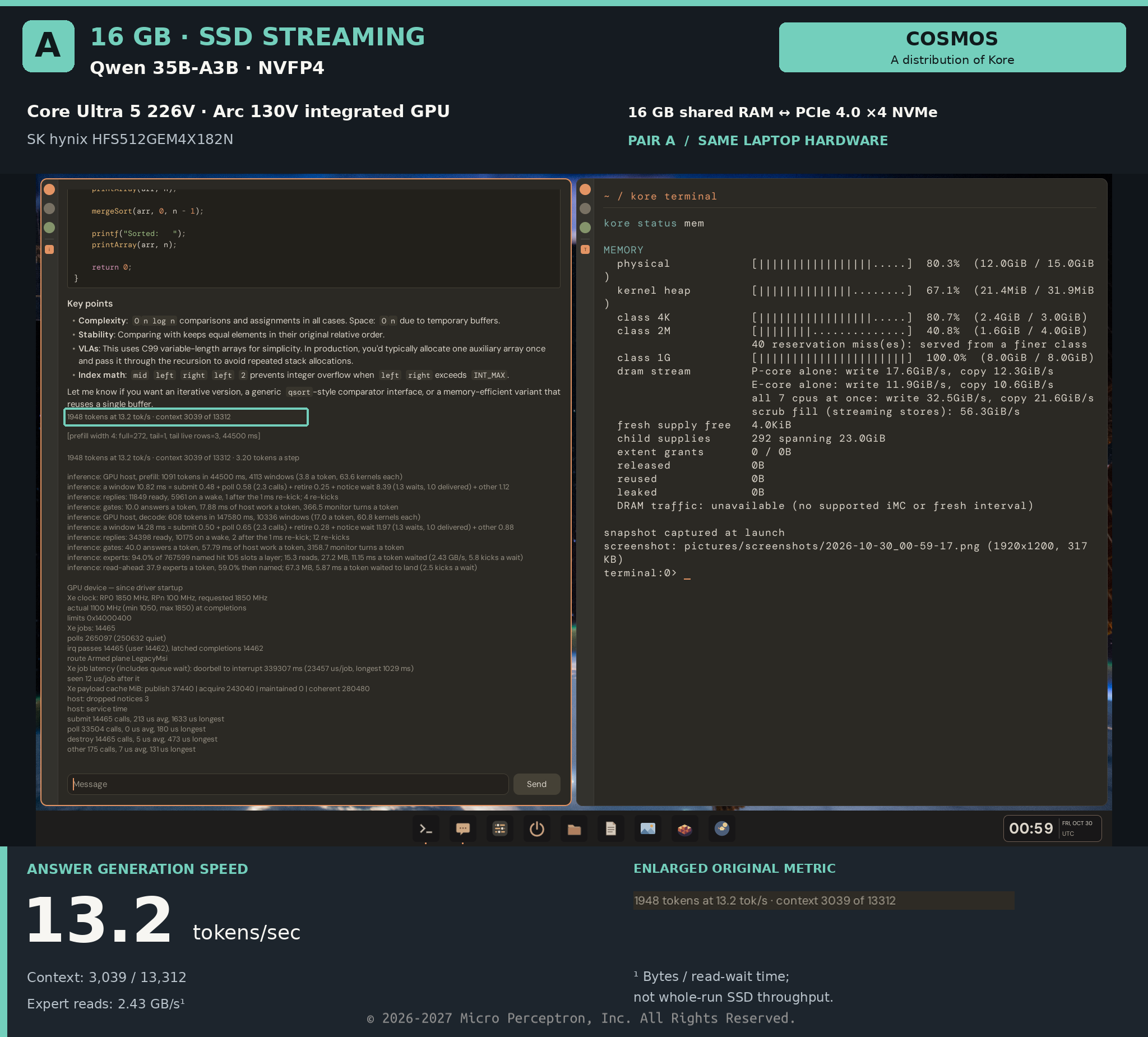
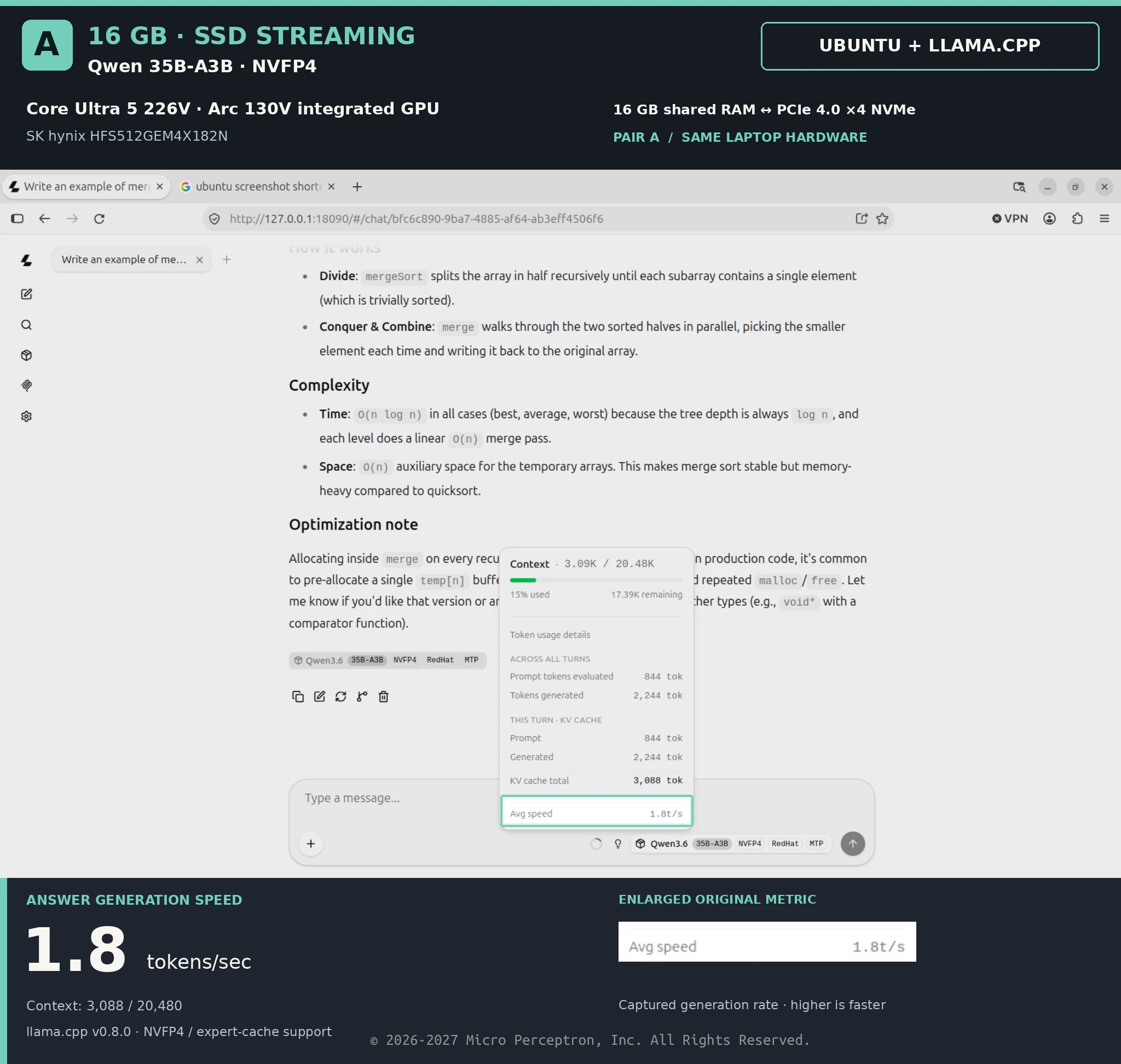
Decode speed on this laptop · 7.3× the speed of Ubuntu + llama.cpp on the same machine
- Cosmos
- 13.2tok/s
- Ubuntu + llama.cpp
- 1.8tok/s
Readouts, as shown on screen
1948 tokens at 13.2 tok/s · context 3039 of 13312
Context 3,039 / 13,312 · Expert reads 2.43 GB/s¹
Avg speed 1.8t/s
Context 3,088 / 20,480
¹ Bytes read divided by time spent waiting on reads — not whole-run SSD throughput.
What each system ran
- Weights
- BothQwen3.6-35B-A3B · MTP · NVFP4
- System
- CosmosCosmos on Kore
- Ubuntu + llama.cppUbuntu 26.04.1 LTS · Linux 7.0.0-38 · latest Intel Xe drivers
- Runtime
- CosmosKore's inference engine · built-in chat
- Ubuntu + llama.cppllama.cpp 0.8 · native NVFP4 · expert-cache support · web UI
Evidence
 (open full size)
 (open full size)
How it was measured
- Same machine
- Every comparison ran on one laptop, with the same silicon, drive and model weights on each side. On metal, Cosmos and Ubuntu were booted in turn; a result that ran Cosmos as a guest says how the guest was set up.
- Current baseline
- Ubuntu 26.04.1 LTS on Linux 7.0.0-38 with the latest Intel Xe drivers, on both machines; llama.cpp 0.8, with native NVFP4 and expert-cache support; fio 3.41 with io_uring, direct I/O and registered buffers, as the storage result's commands show. Current releases, not old builds, with one exception: the 27B result's llama.cpp run used an earlier build whose version wasn't recorded, and its settings say so.
- Captured runs
- Each figure is one captured run, read off its screenshot — not an average of repeated runs.
- Native harnesses
- Each system is measured with its own tools: Cosmos's chat and pack bench; llama.cpp's web UI and fio on Ubuntu. Transfer sizes and scheduling are reported, not equalized.
- Units
- Storage in decimal GB/s (10⁹ bytes per second). Tokens per second as each runtime reports its own generation speed.
- Setup excluded
- Buffer allocation and registration happen before timing on both systems; Cosmos prints its setup time on a separate line.
More results
- Local inference32 GB RAM laptop: every weight resident in memory42.5 tok/s · 32 GB
- Local inference32 GB RAM laptop: Qwen3.8-27B, every weight resident24.0 tok/s · 32 GB
- As a guest32 GB RAM laptop: Cosmos as a guest of Ubuntu, on one virtual function of the GPU37.9 tok/s · 32 GB
- StorageNVMe raw read6.02 GB/s · 16 GB